Screens
Screen-by-screen with the handoff screenshots. Groups follow the user's journey through the app, not the alphabet. Each screen names the prototype source file, notes any reconciliation deltas against the current architecture, and cross-links to the backend flow doc that describes what's happening behind the UI.
Screenshots are referenced directly from the handoff at apps/mobile/design/screenshots/ — no duplicates. Screen numbers match the capture filenames one-to-one.
Onboarding
1. Splash
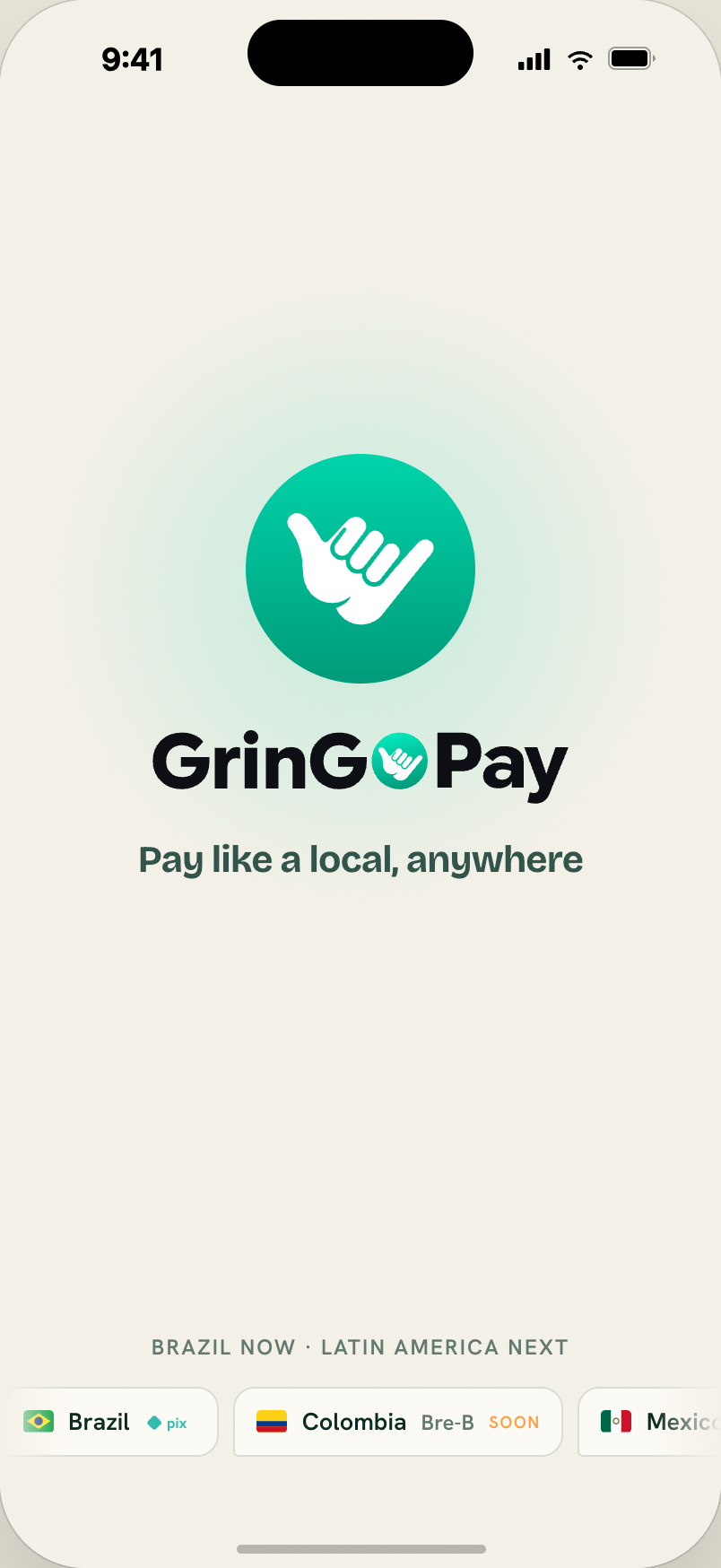
Paper background, centred shaka logo (128px, rocks softly ±7°) on a teal radial glow, full wordmark (232px), slogan "Pay like a local, anywhere". Bottom: auto-scrolling market marquee. Auto-advances after 2.6 seconds (or tap).
Source: rd-onboard.jsx — RdSplash.
2. Welcome
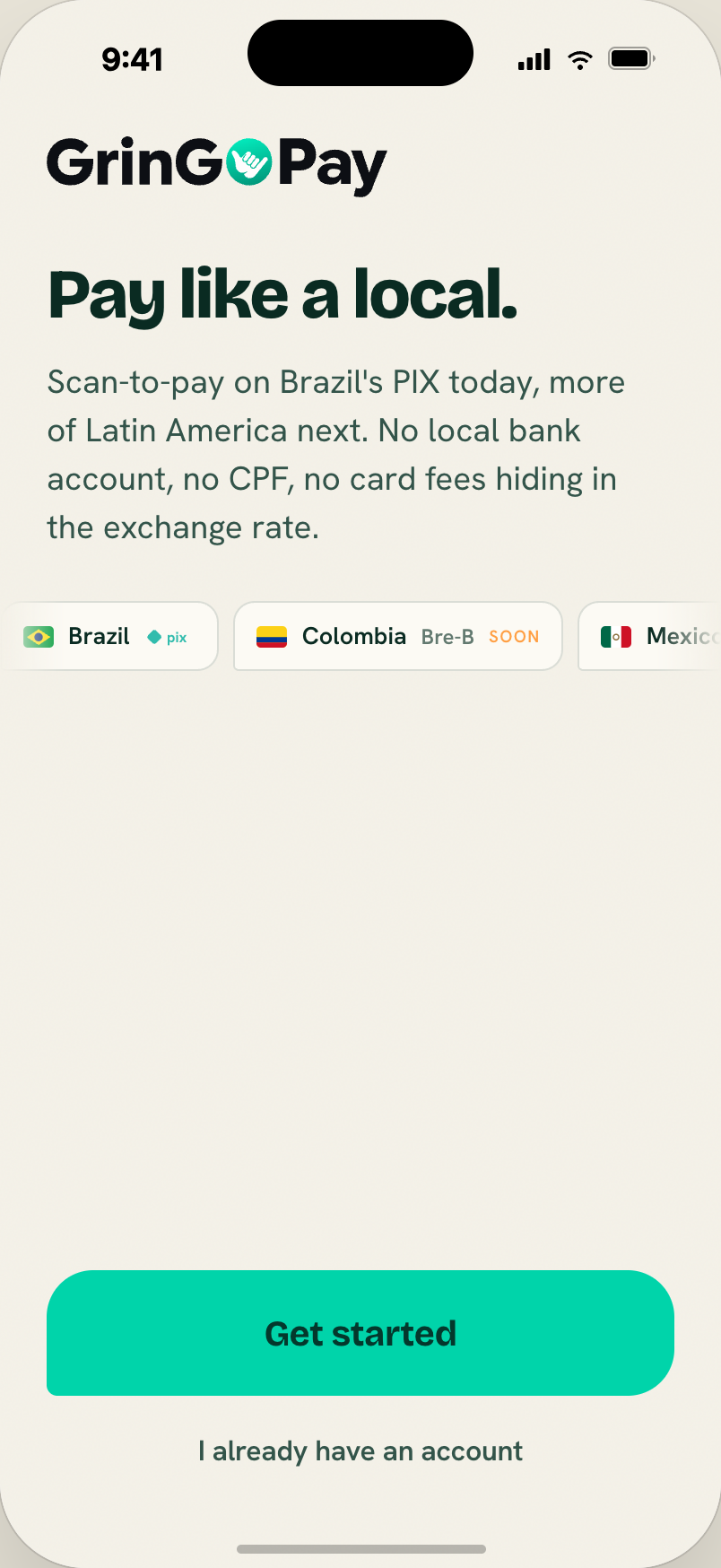
Wordmark top-left. Display "Pay like a local." (39px). Body intro (18.5px). Market marquee. Primary "Get started" (70px) + ghost "I already have an account".
Source: rd-onboard.jsx — RdWelcome.
Reconciliation: the market marquee should only mark Brazil as "live"; others read as coming later. See product/roadmap § Geographic scope.
3. How it works — Scanner step
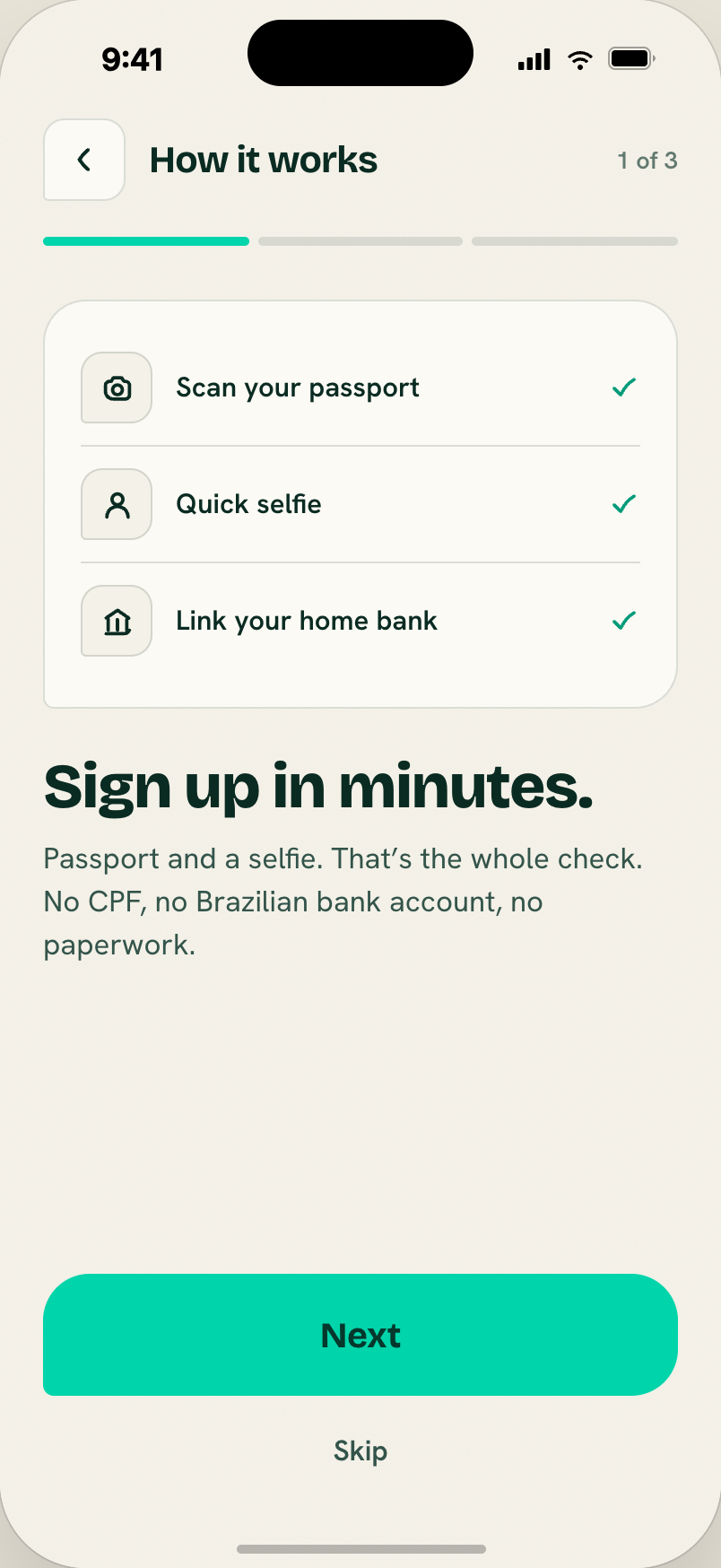
Step 1 of 3 of the onboarding walkthrough. Paper-hi visual card shows a mini QR in teal corner brackets with a PIX slot. Display title + body body copy.
4. How it works — Move money
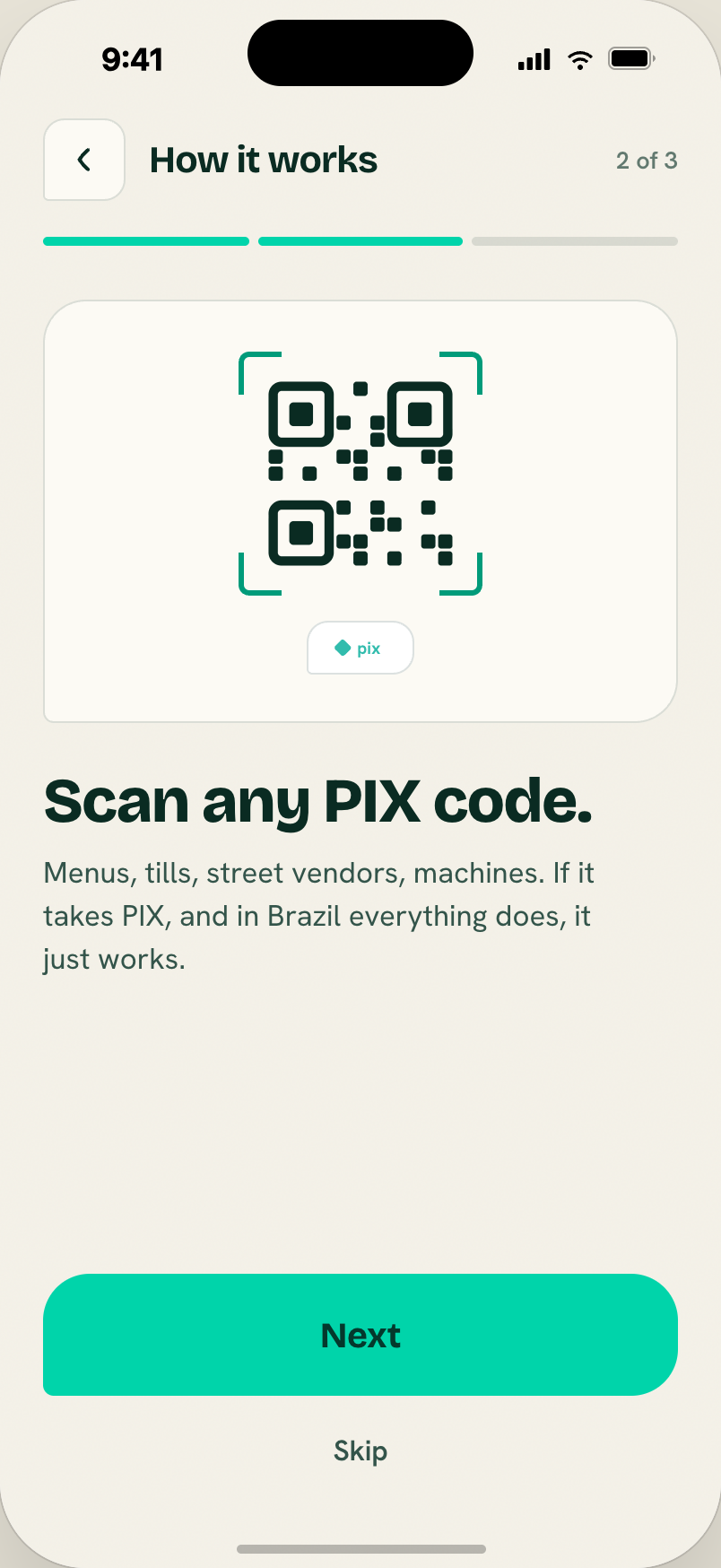
Step 2 of 3 of the onboarding walkthrough — the "how money moves" beat, in the same paper-hi visual language as the other steps. (Replaces the prototype's earlier slide-to-pay demo capture; the walkthrough is now scan → move → done.)
Source: rd-onboard.jsx — RdIntro.
5. How it works — Done
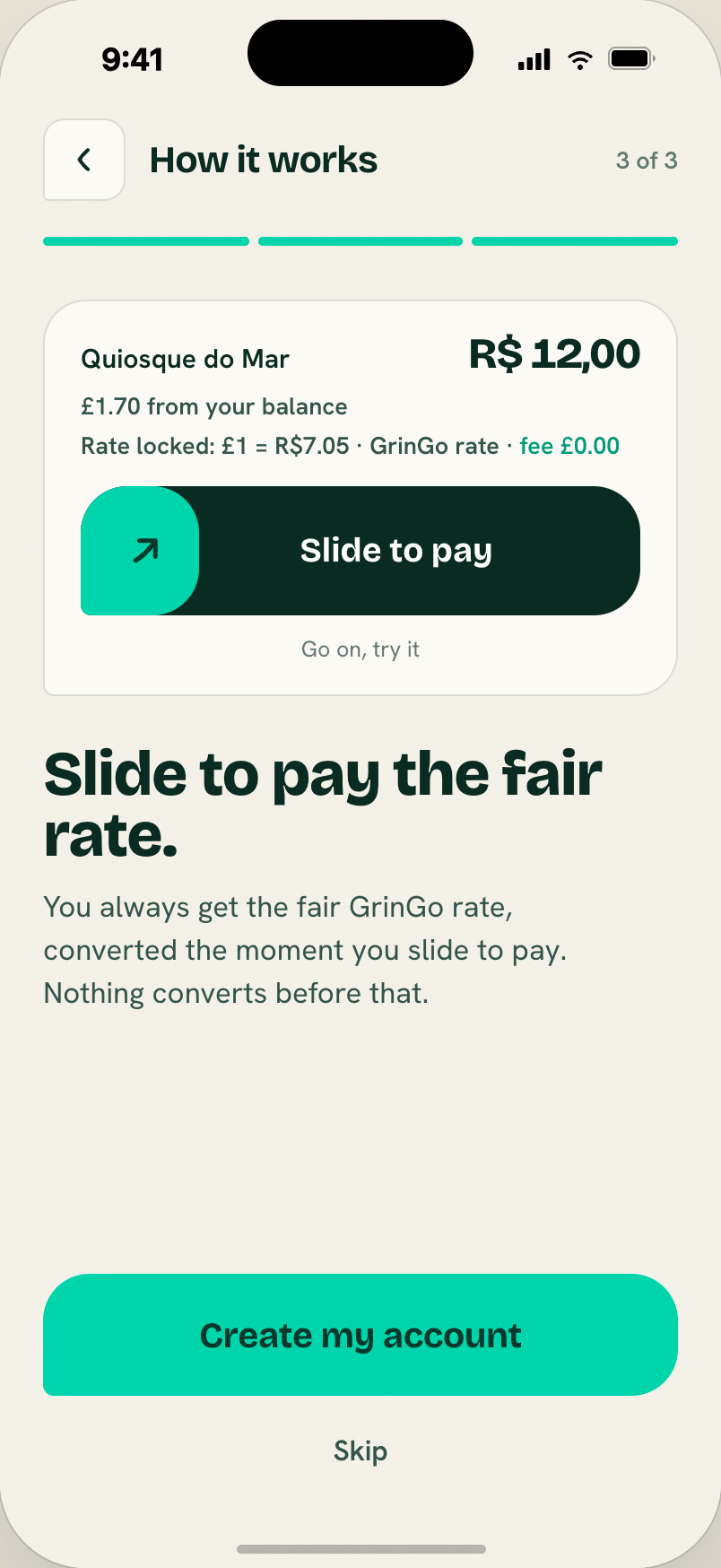
Step 3 of 3 — the closing confirmation of the onboarding walkthrough, wrapping the scan → move → done arc before the user moves on to identity setup. Same paper-hi visual language as the other steps.
Source: rd-onboard.jsx — RdIntro.
6. KYC — Passport scan
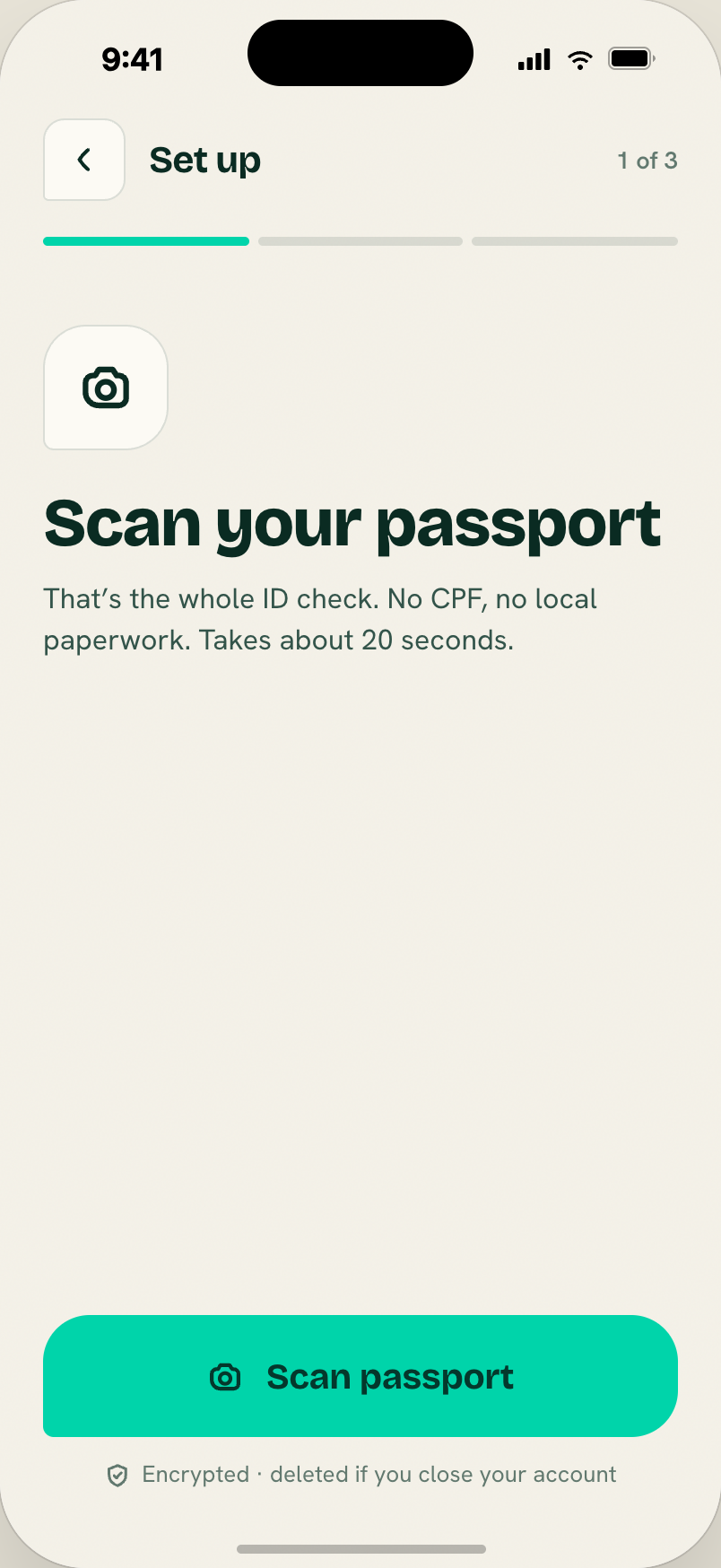
Step 1 of the KYC narrative. 70px icon tile + display title + body. Same progress-segments pattern as How it works.
Source: rd-onboard.jsx — RdKyc.
Reconciliation (important): the handoff shows KYC as three app-driven steps (passport → selfie → link bank). Under the current architecture, KYC is handled entirely by Infinia's HOSTED widget — one webview covers document scan, selfie, address, and tax_id. See flows/onboarding.
Two ways to reconcile:
- Keep the three-step storytelling as the user-visible narrative, then hand off to the HOSTED widget for the actual capture. The narrative sets expectations; the widget does the work.
- Simplify to a single "Verify your identity" screen that opens the widget directly. Less on-brand but faster to build.
MVP recommendation: option 1 as a stretch, option 2 as the safe path.
7. KYC — Selfie
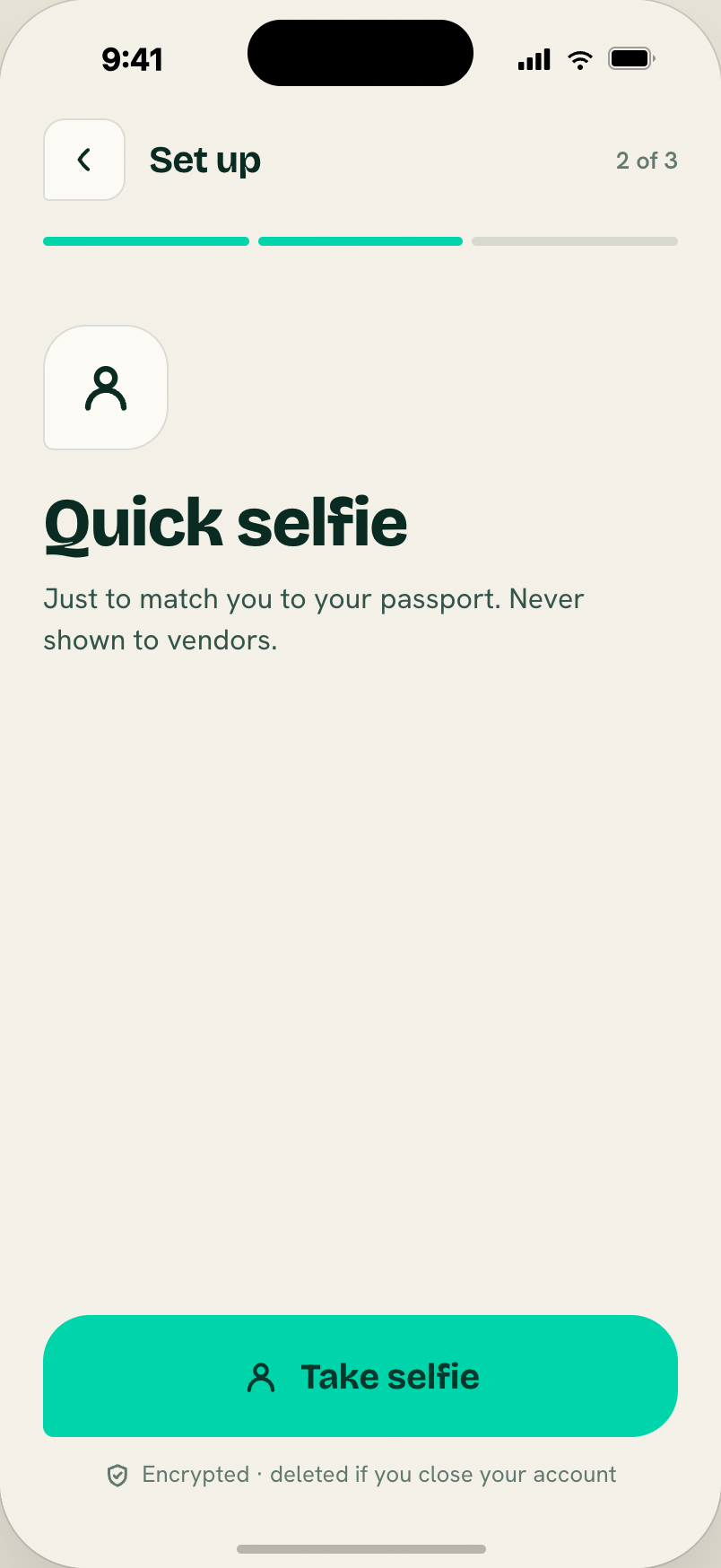
Step 2 of the KYC narrative — the selfie/liveness beat between the passport scan and linking a bank. Same progress-segments pattern.
Reconciliation: as with the other KYC steps, the actual capture happens inside Infinia's HOSTED widget (one webview covers document, selfie, address, and tax_id), so this screen is user-visible narrative only. See flows/onboarding.
8. KYC — Link bank
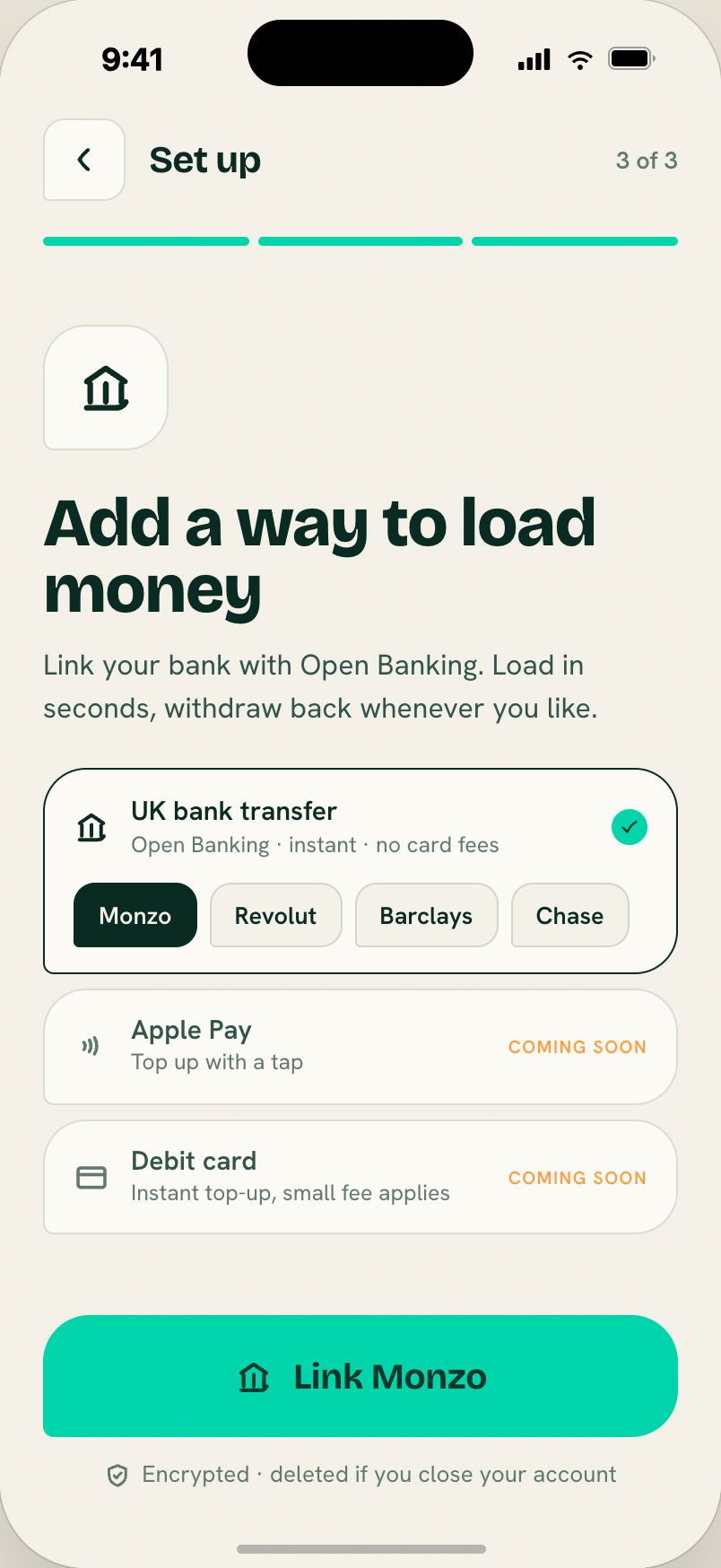
Bank-linking step showing selectable UK bank chips (Monzo, Revolut, Barclays, Chase) with disabled "Apple Pay" and "USDC deposit" rows marked "coming soon". Busy state on CTA ("Reading chip…").
Reconciliation: we don't use Open Banking for deposits. Deposits are manual bank transfers to the user's Infinia GBP or EUR virtual account — see flows/deposit. This screen either goes away entirely or is rethought as "Here's your deposit account — send £X to fund it".
9. KYC — Done
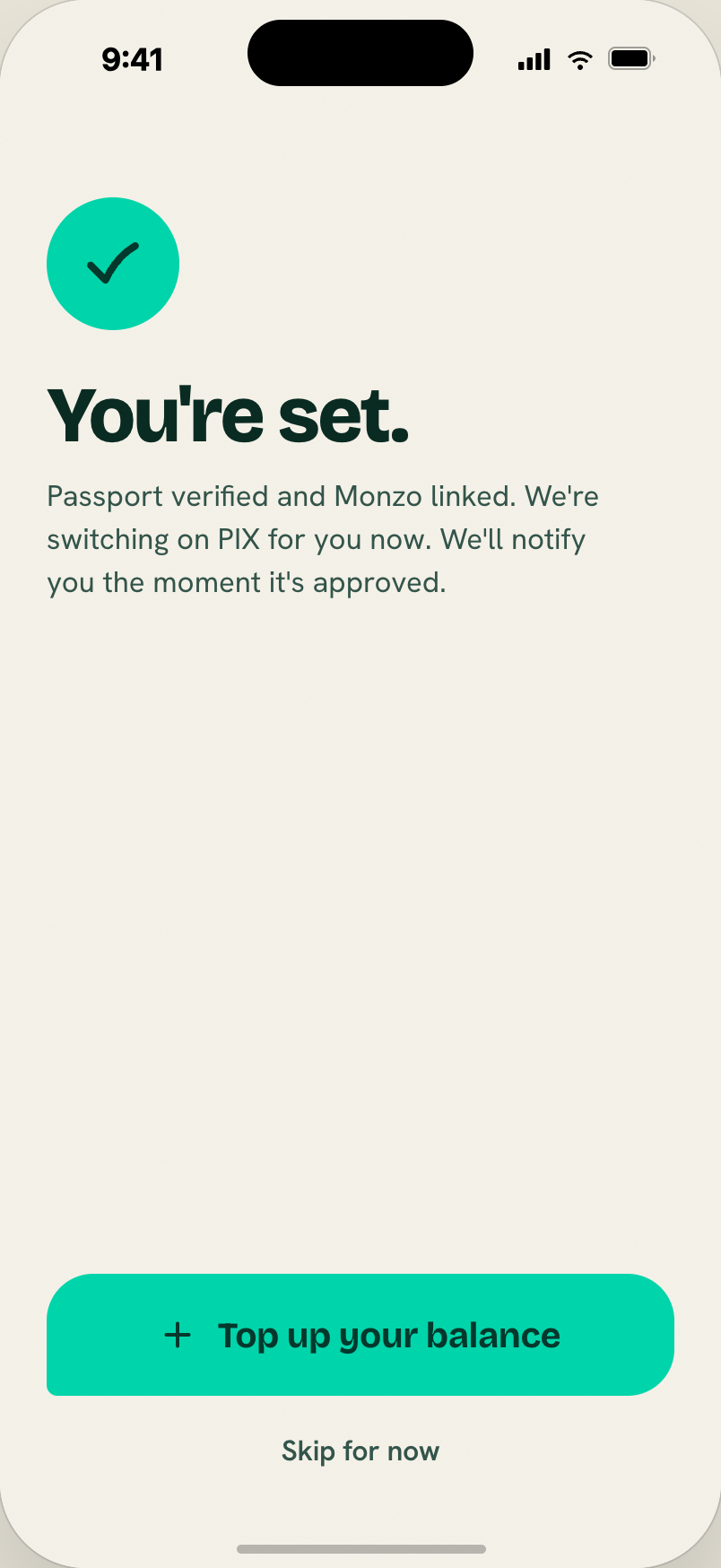
Teal check disc (74px) + "You're set." (44px). Primary CTA "Load your first USDC" + ghost "Skip for now".
Reconciliation: CTA text becomes "Add your first pounds/euros" or similar; the check moment stays.
Home
10. Home
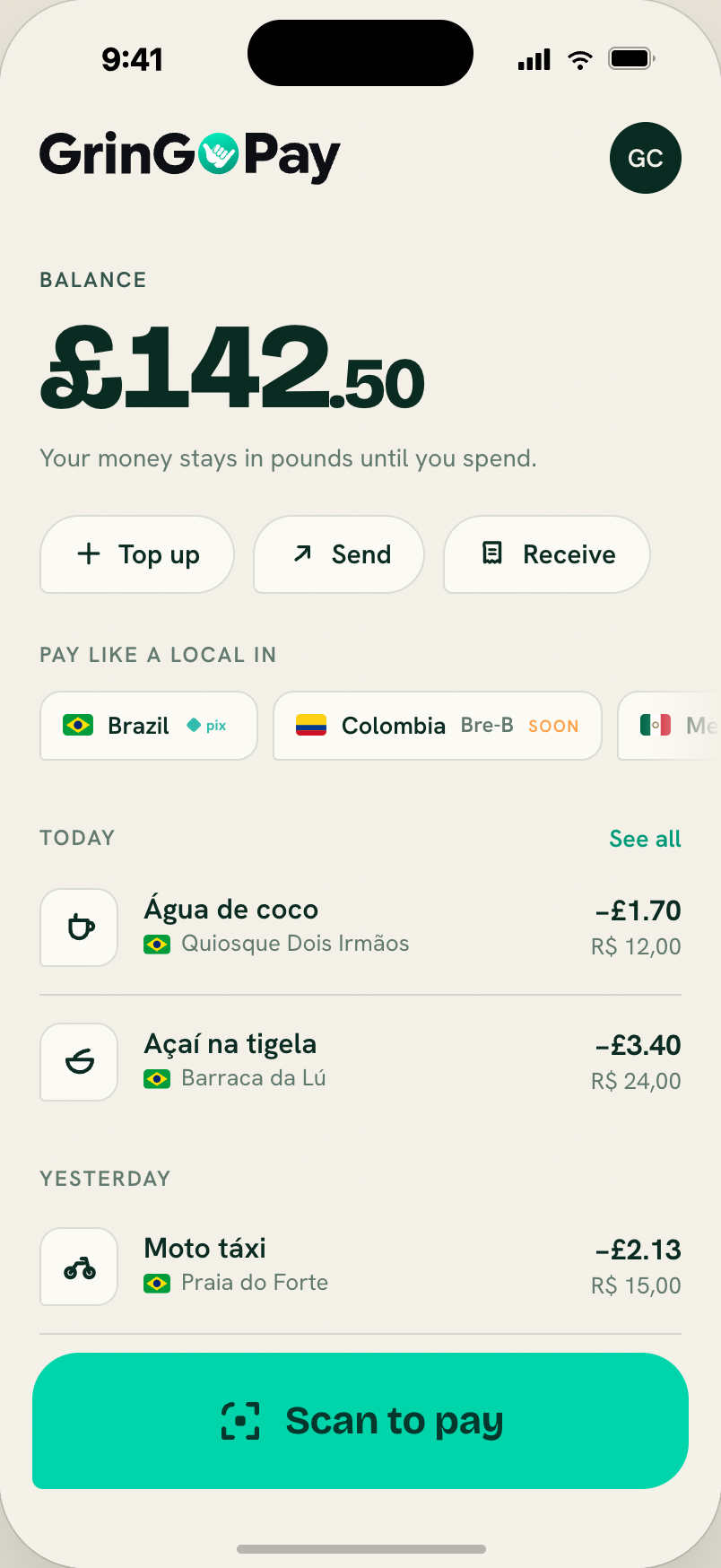
The default landing screen after onboarding. Full wordmark top-left, 40px ink profile-initials top-right. Balance block dominates: label + display amount (68px / 40px for cents). Action chips (Load / Send / Receive) as paper-hi tiles with hairline borders. "Pay like a local in" label + drag-scrollable market chips. Activity preview grouped by date with "See all" → Activity. Fixed bottom: "Scan to pay" primary button (76px, full-width) with a paper gradient fade so the list scrolls under it.
Source: rd-home.jsx.
Reconciliation:
- Balance label
USDC BALANCE→BALANCE(orGBP BALANCE/EUR BALANCE). - Amount
$142.50→£142.50or€142.50per user's home currency. - Market chips: only Brazil live; others read "Coming later" without committing to specifics.
- Load action → Add money (leads to a deposit-instructions screen, not a Load-USDC flow).
11. Home — PIX pending
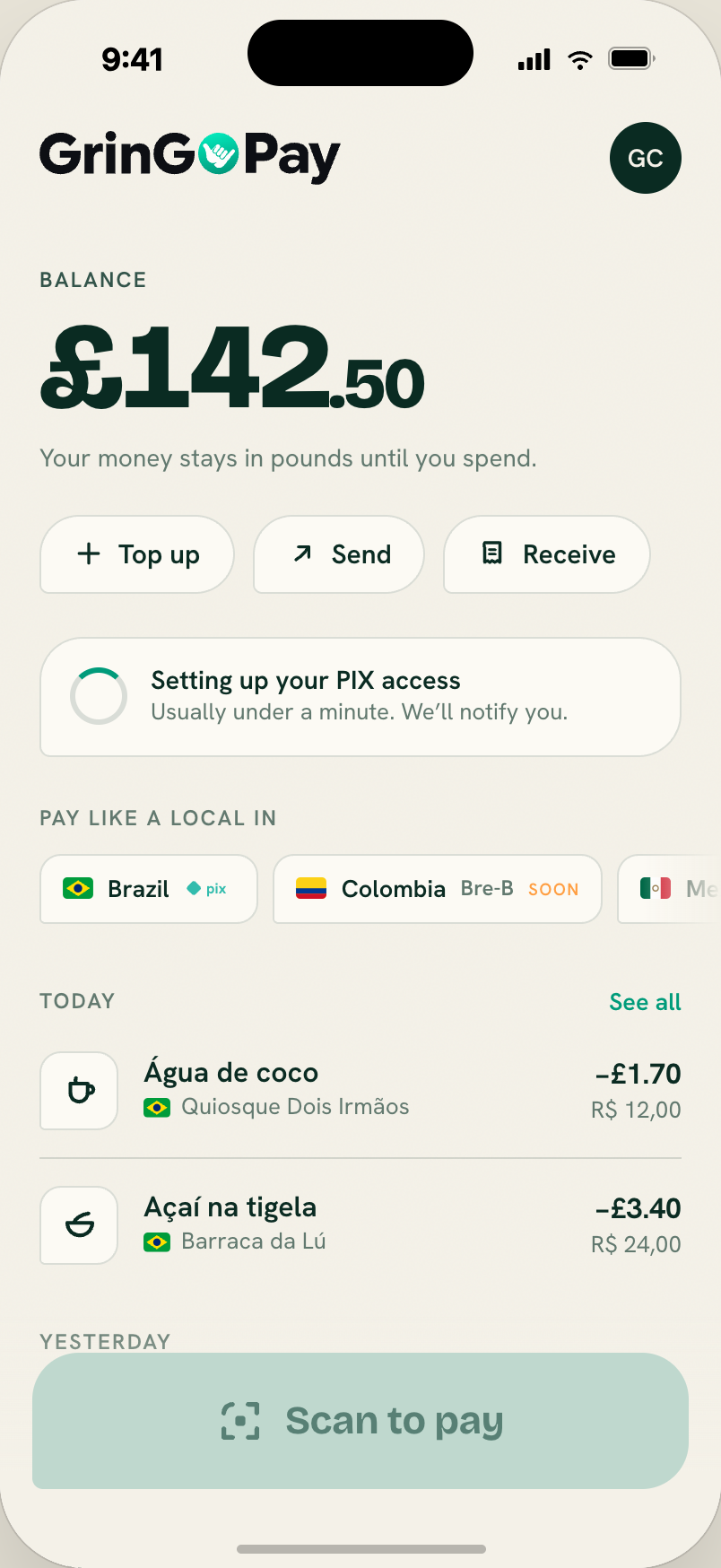
Variant shown right after KYC. Spinner card "Setting up your PIX access"; Scan-to-pay button disabled. Approval arrives ~4.5 seconds later with a PIX approved toast.
Reconciliation: we don't have a separate "PIX approval" state. The home-currency account is provisioned automatically at KYC completion; the BRL account is provisioned lazily on the user's first PIX. The pending state, if used at all, applies to the home-currency account provisioning window (usually quick — the account.status_updated webhook flips it to active within seconds).
Consider dropping this variant entirely in MVP, or repurposing it as a rare "still setting up your account" fallback.
Pay flow
12. Scanner — locked on a QR
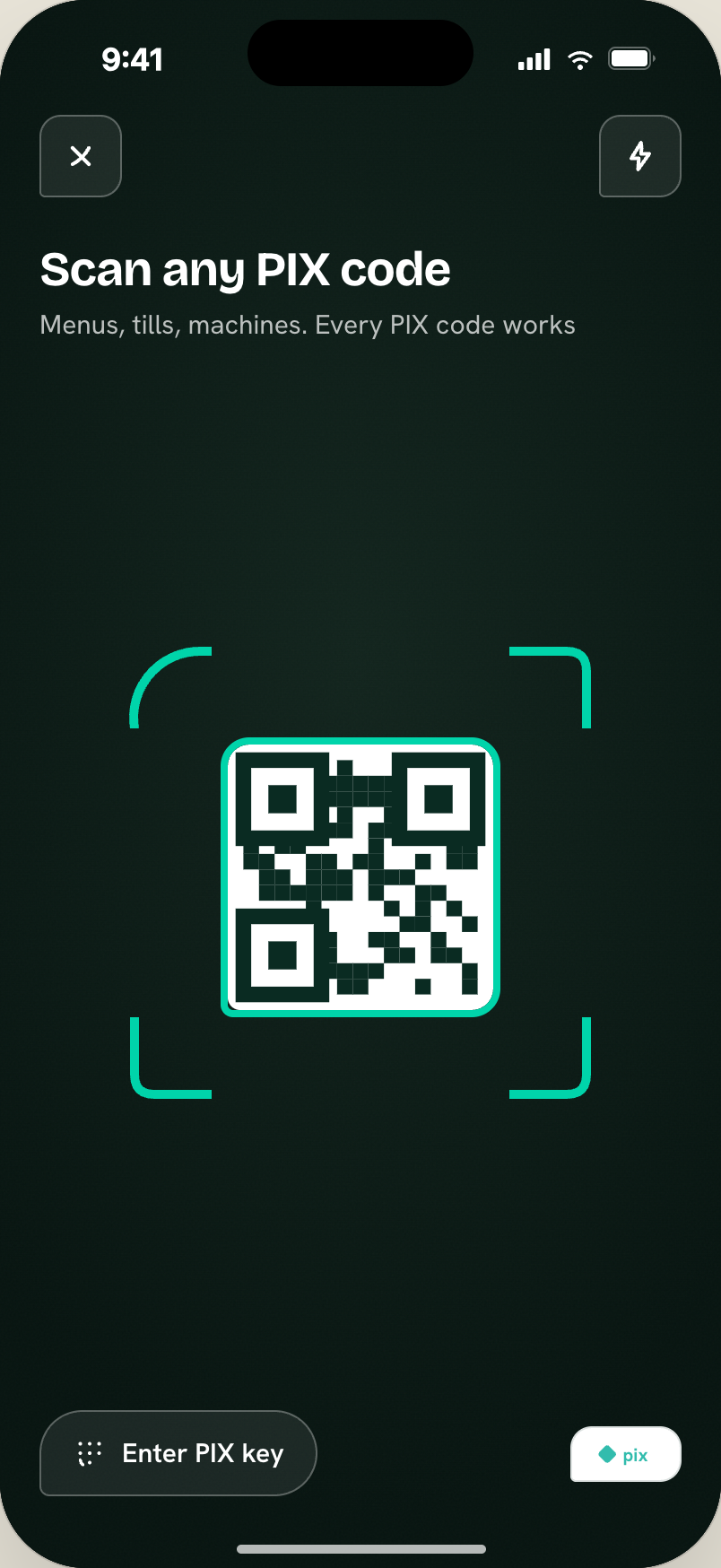
Dark camera screen. Close + torch buttons top. Title "Scan any PIX code" + hint. Center: 258px frame of corner brackets with the shaka cut baked into one corner. Teal scanline loops during seek. Bottom: "Enter PIX key" button + PIX rail slot.
Timings: seek 1000ms → QR found 650ms later (brackets stay white) → lock 600ms later (brackets + QR outline snap teal) → auto-advance to Confirm.
Source: rd-scanner.jsx. See flows/pix-payment.
13. Scanner — bad QR
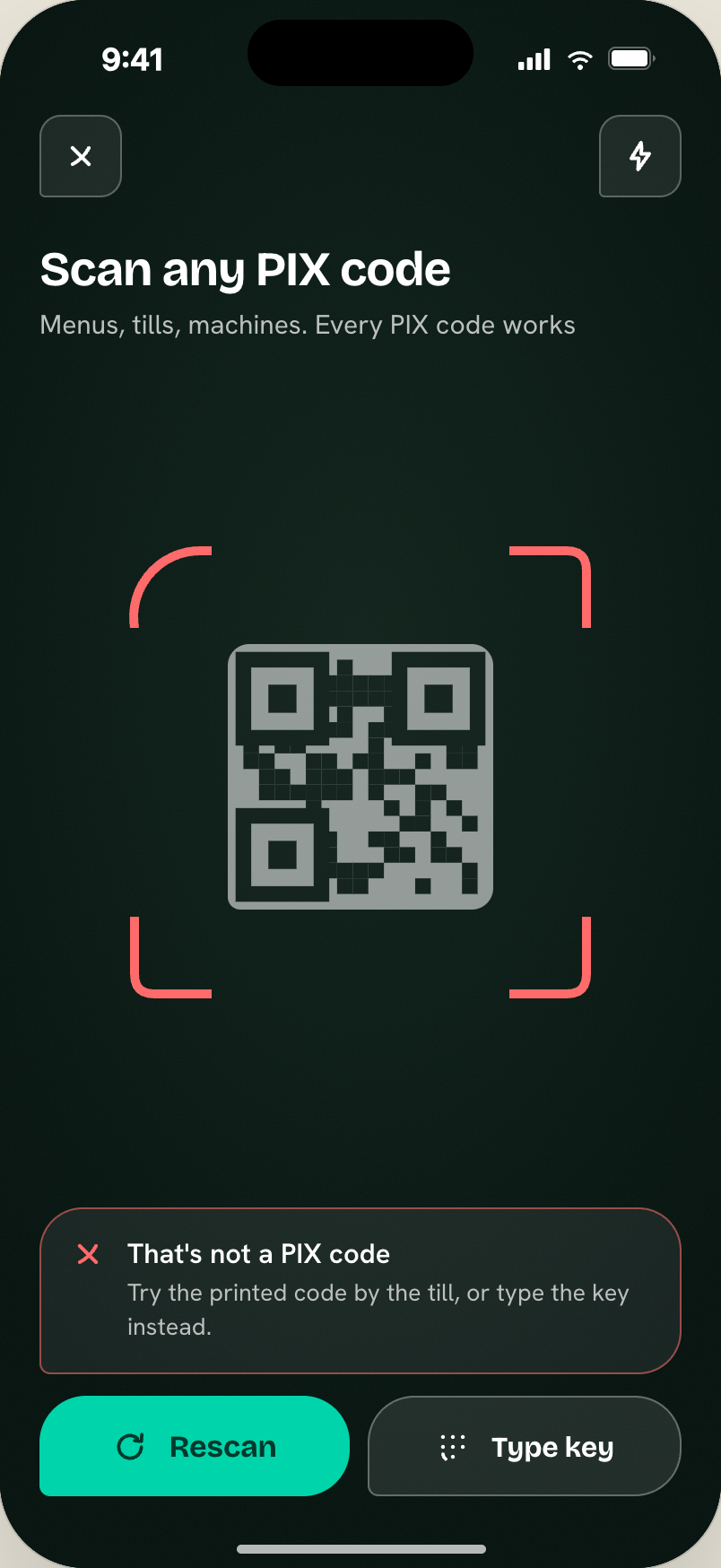
Corner brackets turn coral, QR desaturates. Coral-bordered card: "That's not a PIX code" with "Rescan" (primary) + "Type key" (translucent) side-by-side.
Copy is calm, specific, gives two clear recovery paths.
14. Confirm
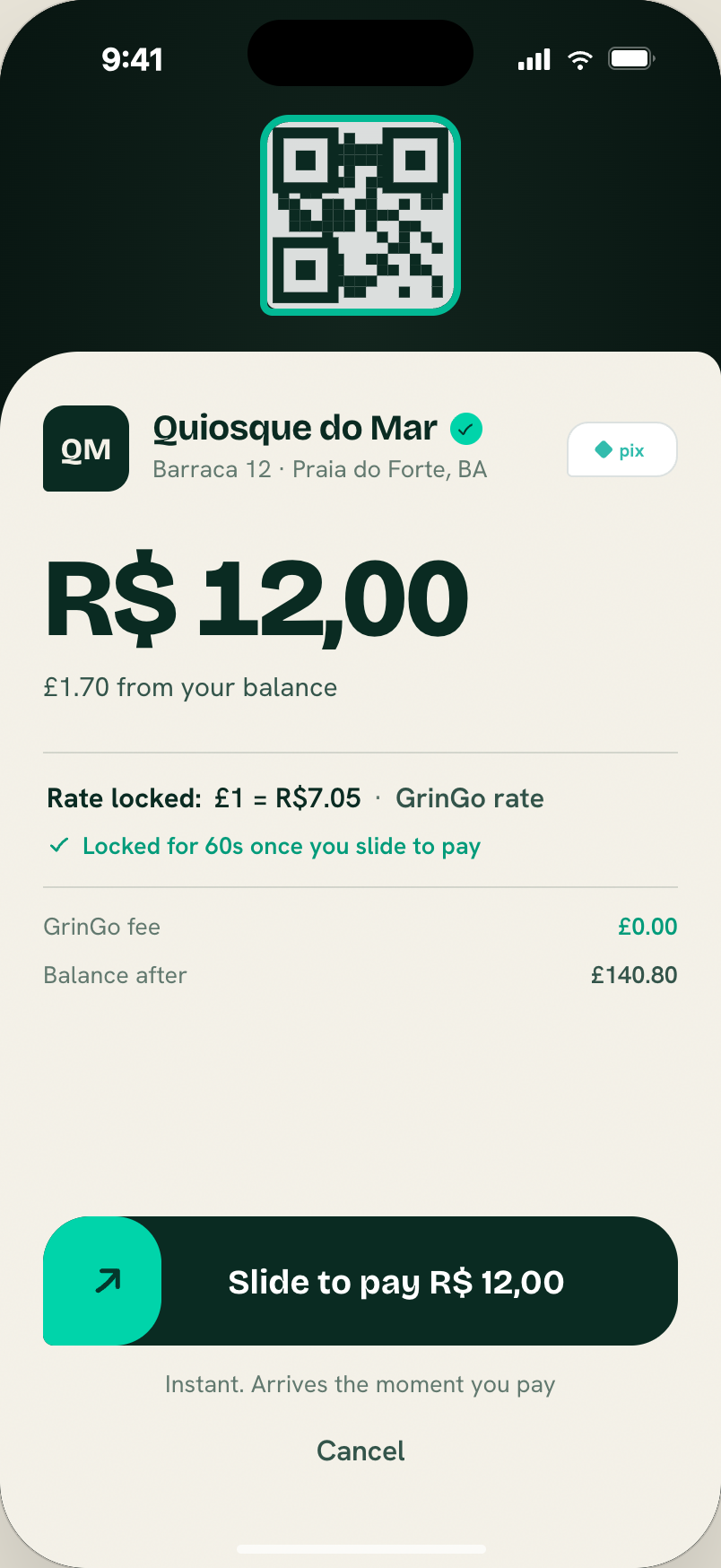
Dark top with the frozen scan (104px QR, teal outline). Paper bottom sheet slides up in 190ms with radius --r-sheet (big cut top-left). Vendor tile + name + rail slot; amount (62px display); sub-line; FX line; fee row; balance-after row; then the RdSlidePay control; trust line; Cancel.
Source: rd-confirm.jsx. See flows/pix-payment.
Reconciliation:
- Sub-line
$2.18 from your USDC balance→£2.18 from your balance(or €). - FX line
1 USDC = R$ 5,51 · Fair GrinGo rate, locked for this payment→£1 = R$ 5,80 · rate locked for 60s. - Fee row + balance-after row stay; adjust units.
15. Confirm — expired code
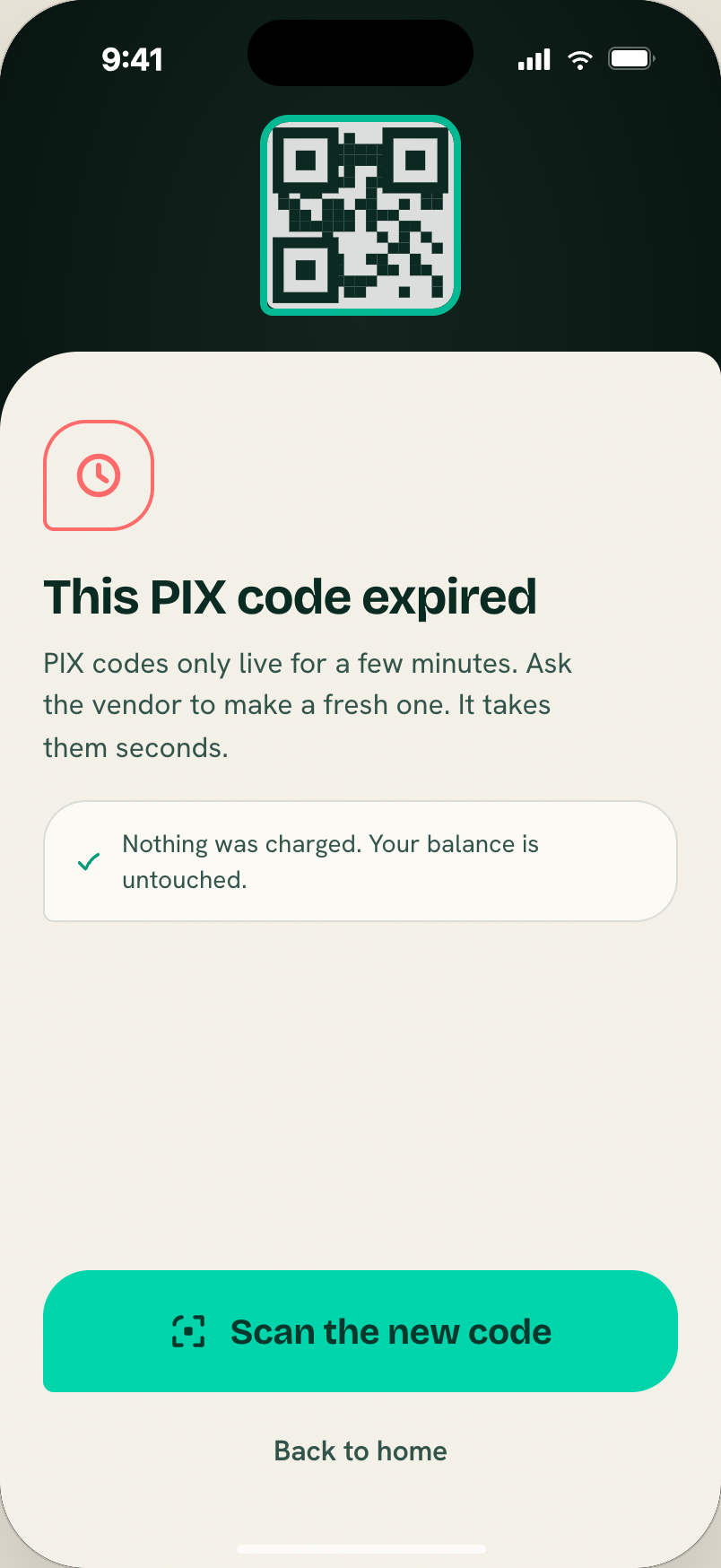
Coral clock tile + "This PIX code expired". Reassurance card "Nothing was charged. Your balance is untouched." CTAs: "Scan the new code" + ghost "Back to home".
Every error names what happened to the money first.
16. Confirm — insufficient balance
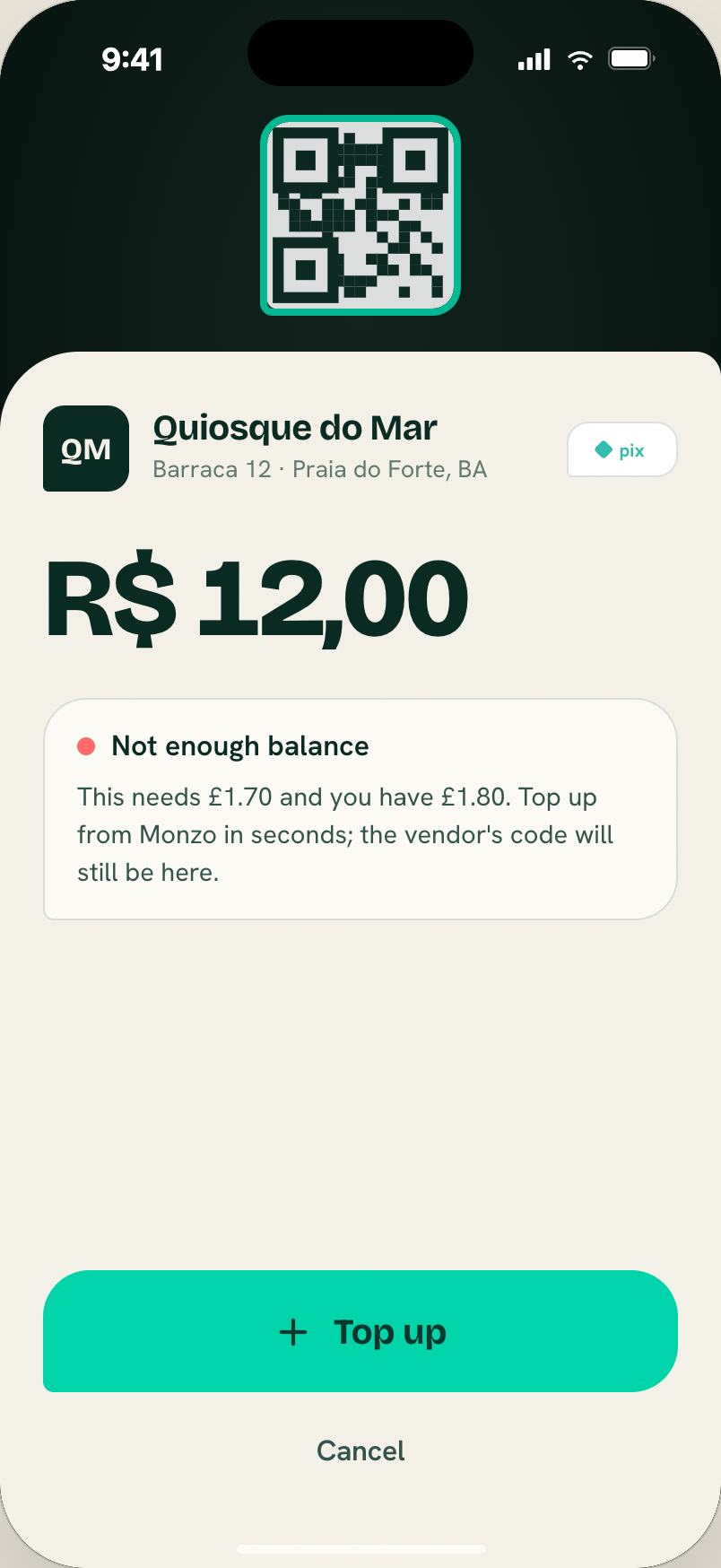
Coral-dot card: "Not enough USDC — this needs $2.18 and you have $1.80…". CTA: "Load USDC" returns to Confirm after loading; the scanned code persists. Ghost Cancel.
Reconciliation: "USDC" → user's home currency; "Load" → "Add money". The persist-scanned-code-through-Add-Money-and-back-to-Confirm state machine is unchanged.
17. Paying
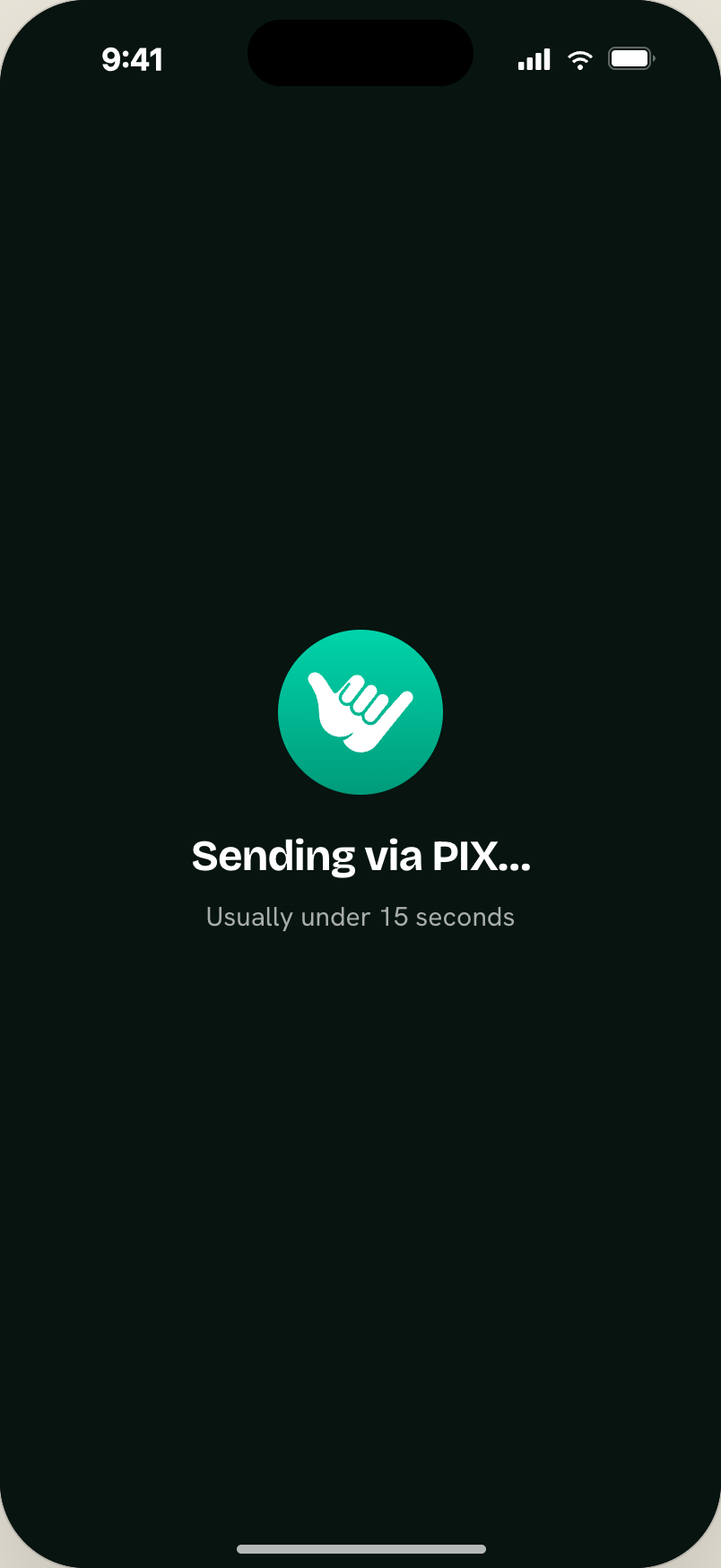
Dark. Logo 92px rocking ±16° at 0.9s. "Sending via PIX…" (24px). "Usually under 2 seconds". Shows for ~1.5s while the payout is triggered server-side.
Source: rd-result.jsx — RdPaying.
18. Success — the ONE gradient moment
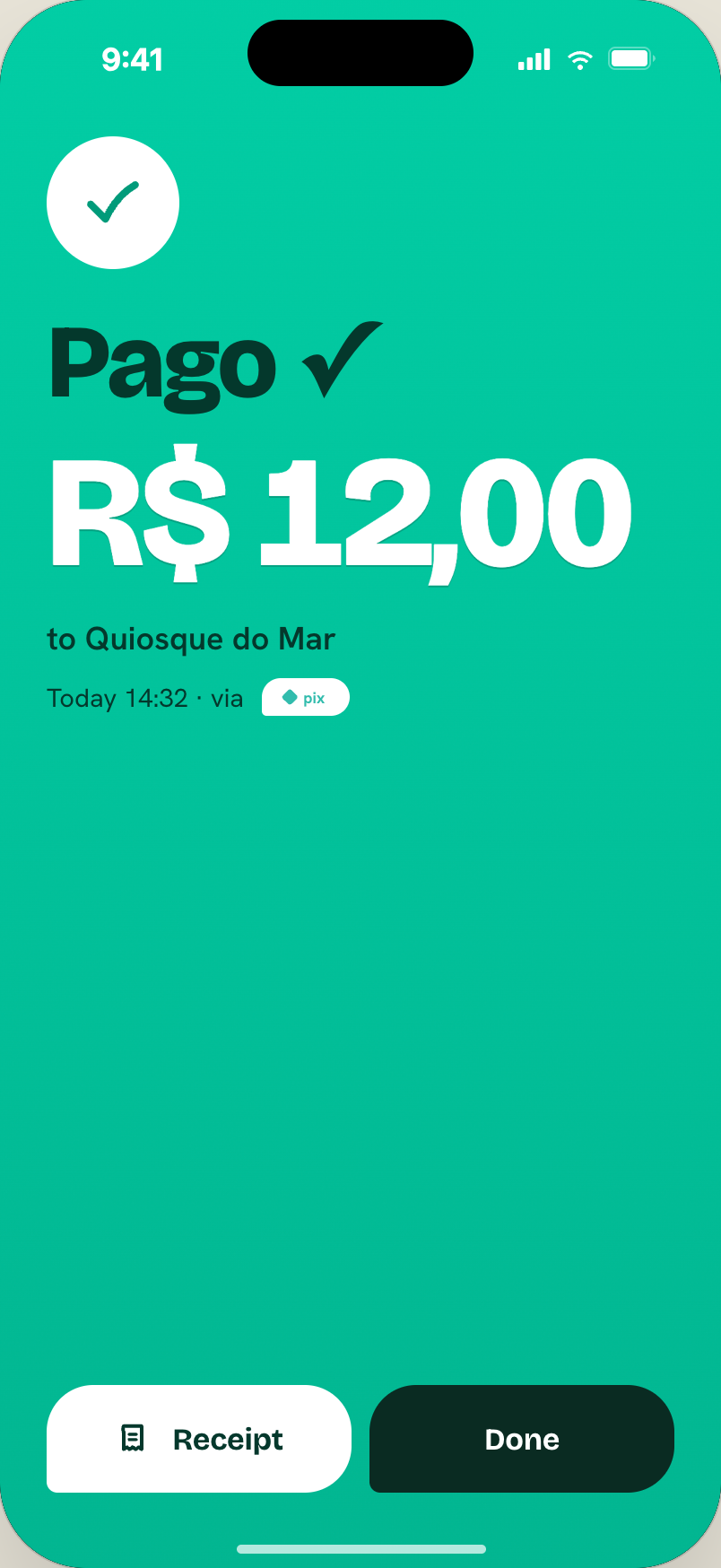
A 2100px shaka-gradient circle bursts from the pay-button position (bottom centre) at 420ms. Content stamps in staggered:
- White check disc (74px)
- "Pago ✓" display (58px, teal-ink)
- Amount 88px white
- "to Quiosque do Mar" + timestamp + rail slot
Bottom: "Receipt" (onGradient) toggles an inline paper receipt card + "Done" (ink).
This screen doubles as the receipt — no separate screen. Show at arm's length to the vendor: local trust word ("Pago") + huge amount + rail slot.
19. Connection lost
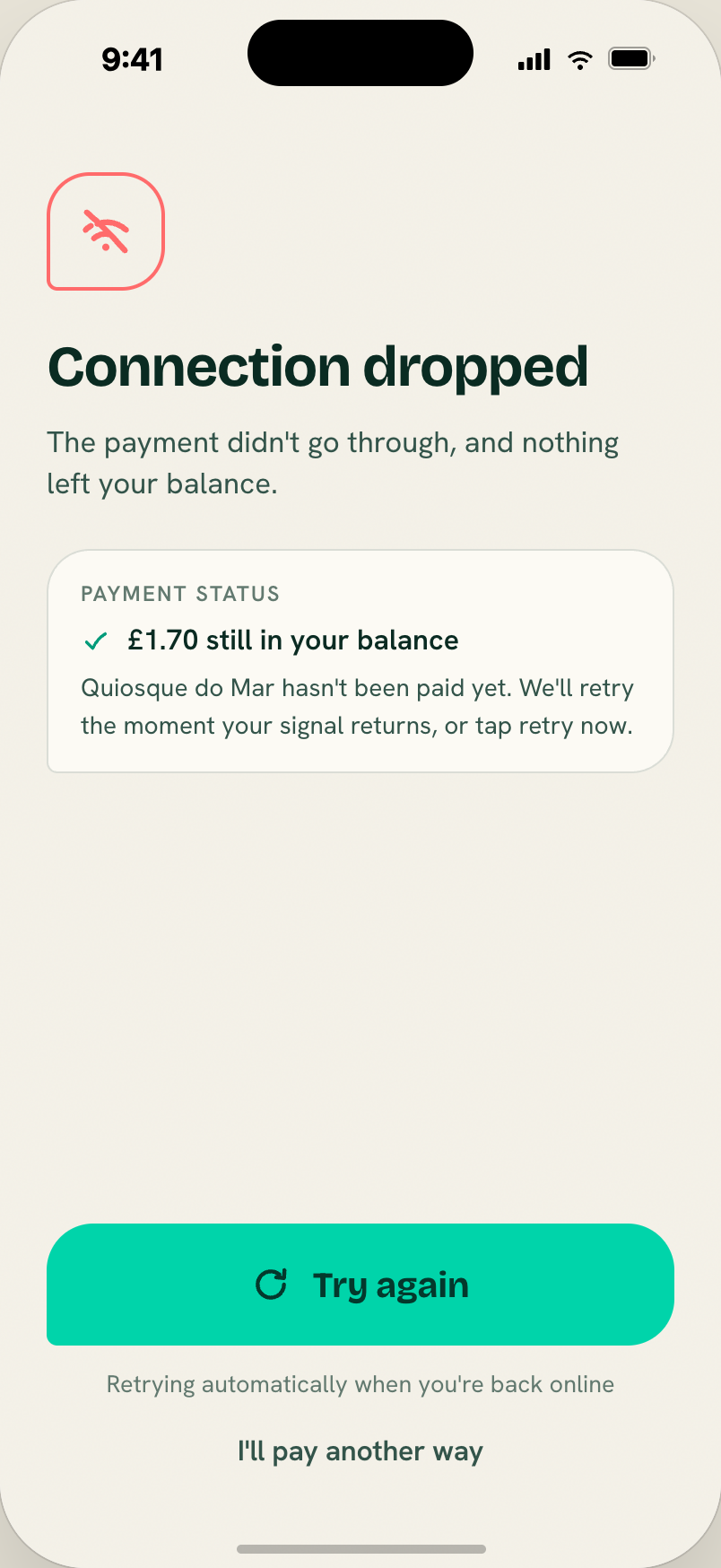
Paper (not dark). Coral wifi-off tile + "Connection dropped" + reassurance: "The payment didn't go through, and nothing left your balance." Payment-status card confirming funds are safe. CTA: "Try again" + "Retrying automatically when you're back online" + ghost "I'll pay another way".
The whole design of this screen exists to reassure. First thing on screen is the money-status statement, not the error.
Money
20. Add money (Load in the handoff)
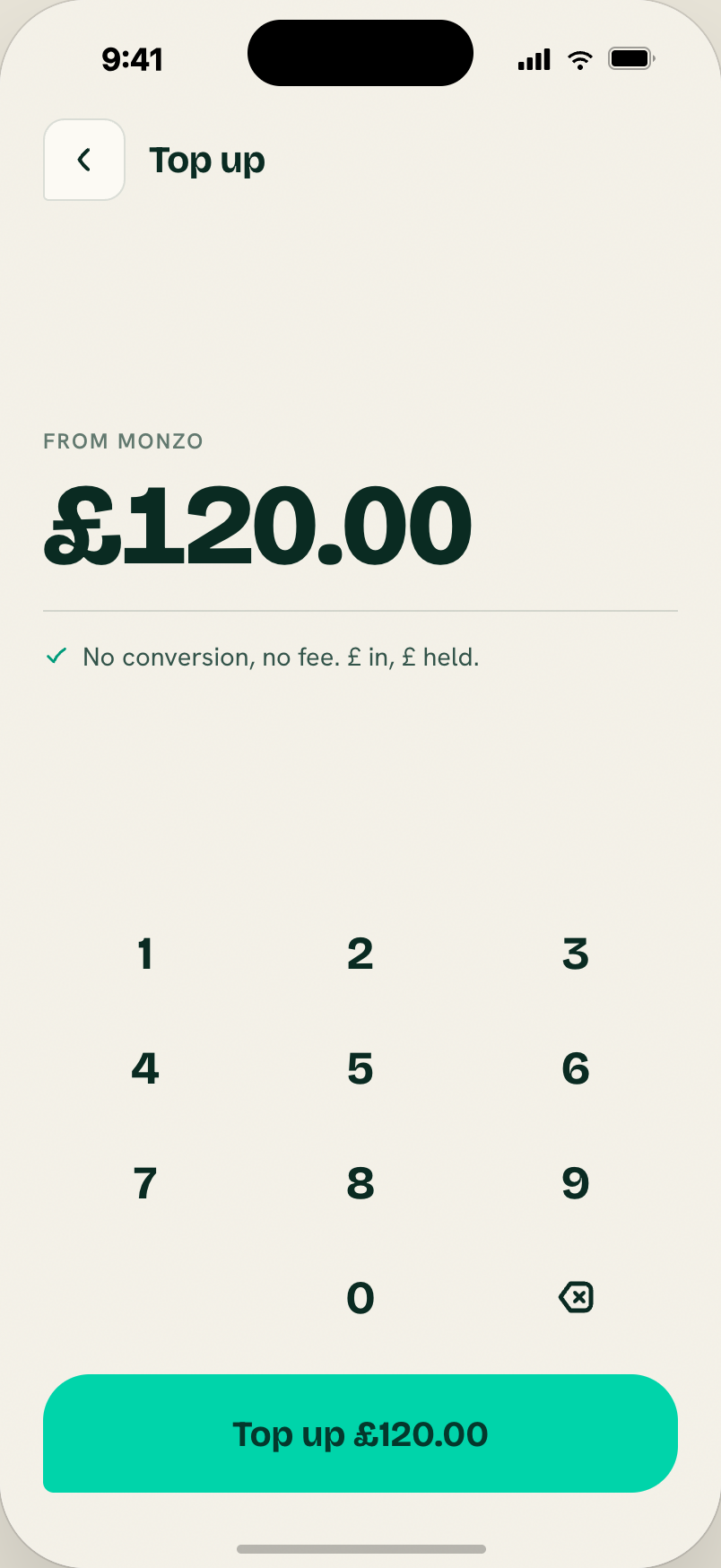
Amount entry: label "FROM MONZO", display amount, FX line, keypad + primary "Load £120.00".
Reconciliation:
- Screen renamed "Add money".
- Drop the FX line entirely — deposits are same-currency; no FX at deposit under Model A.
- Show the user's Infinia GBP/EUR account funding instructions (sort code + account number, or IBAN + BIC) so they can send from their bank app. See flows/deposit.
- No keypad — the amount is whatever they choose to send from their bank.
The "Add money" screen becomes closer to a "here are your account details" screen with copy buttons. Different flow than what the handoff shows, but the visual language (paper, hairlines, Shaka cut) transfers.
21. Load — Done
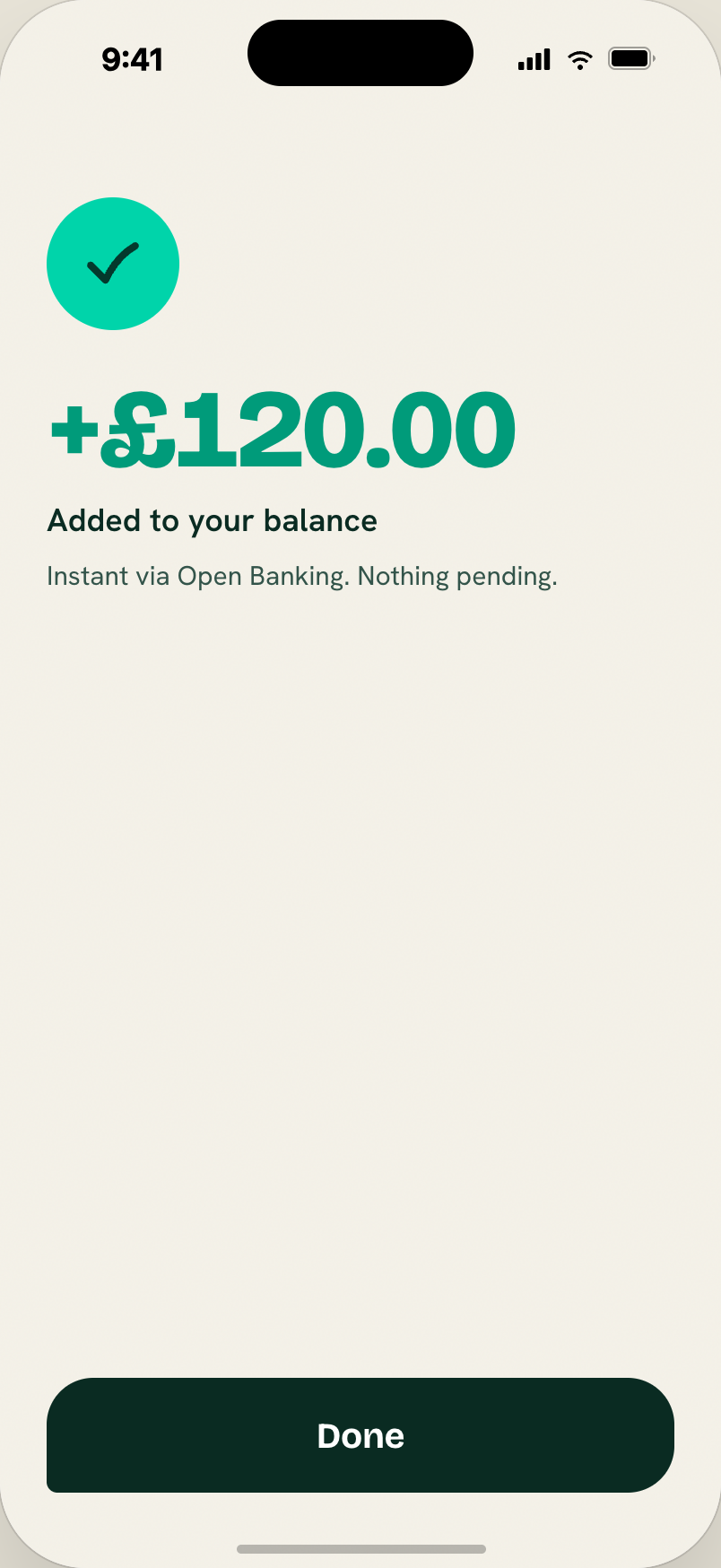
Teal check + display +$152.09 (62px, teal-deep) + "USDC in your balance now" + "Instant via Open Banking. Nothing pending."
Reconciliation: we won't have an in-app "done" moment for deposits — the user leaves the app to send the transfer from their bank; the credit lands seconds later as a push notification (Phase 2) or on next GET /me refresh. If we ever add a "just-arrived" moment via push, this screen's celebration is the right shape.
22. Send — Recipient
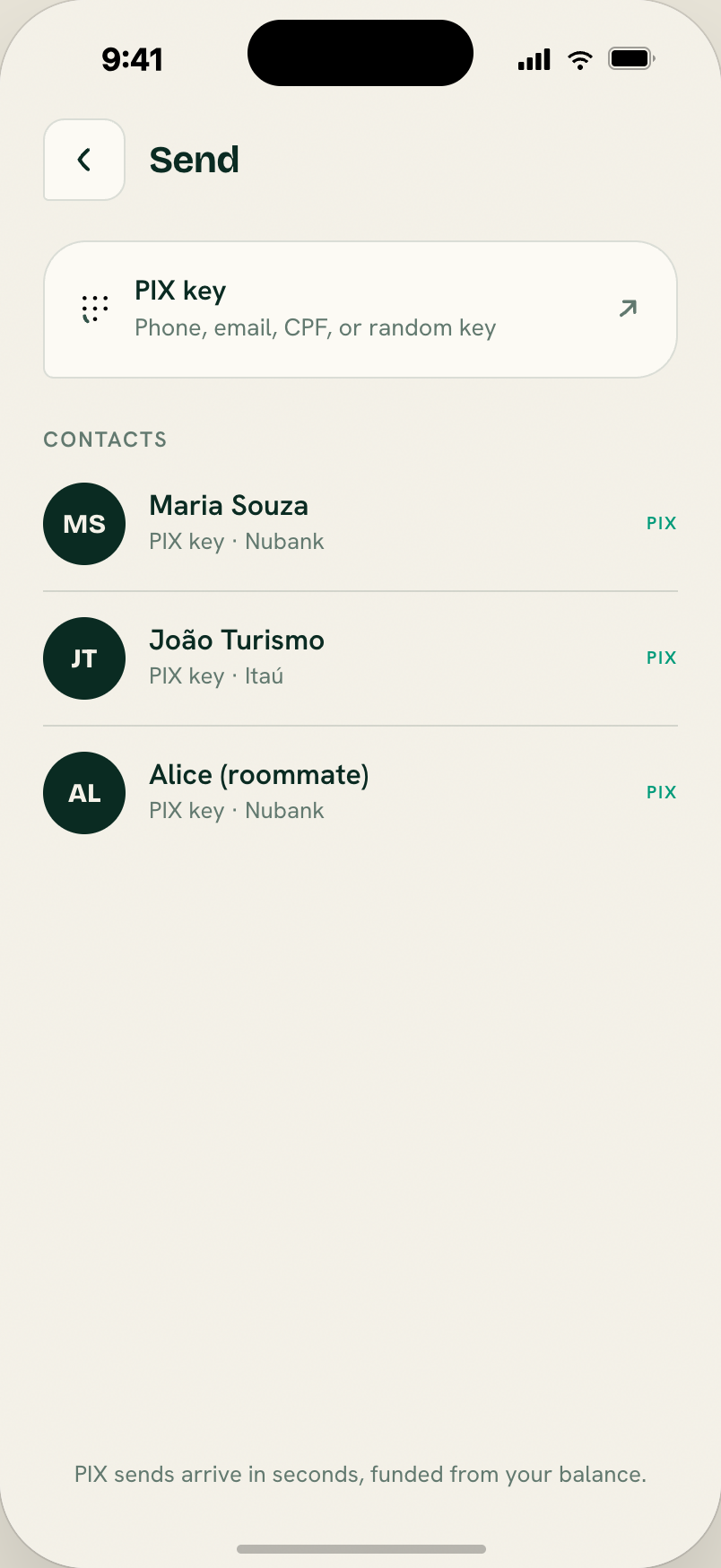
"PIX key or USDC address" paste card + Contacts list (initials disc, name, sub-line, PIX/USDC tag in teal-deep/violet).
Source: rd-money.jsx — RdSend.
Reconciliation: no on-chain USDC in MVP; drop the USDC tag + violet contact type. Consider dropping the entire Send screen for MVP — Scan-to-Pay covers 100% of the PoS use case. The Send flow was designed for P2P and non-QR PIX (typing a merchant's key), which isn't in the MVP scope.
23. Send — Type PIX key
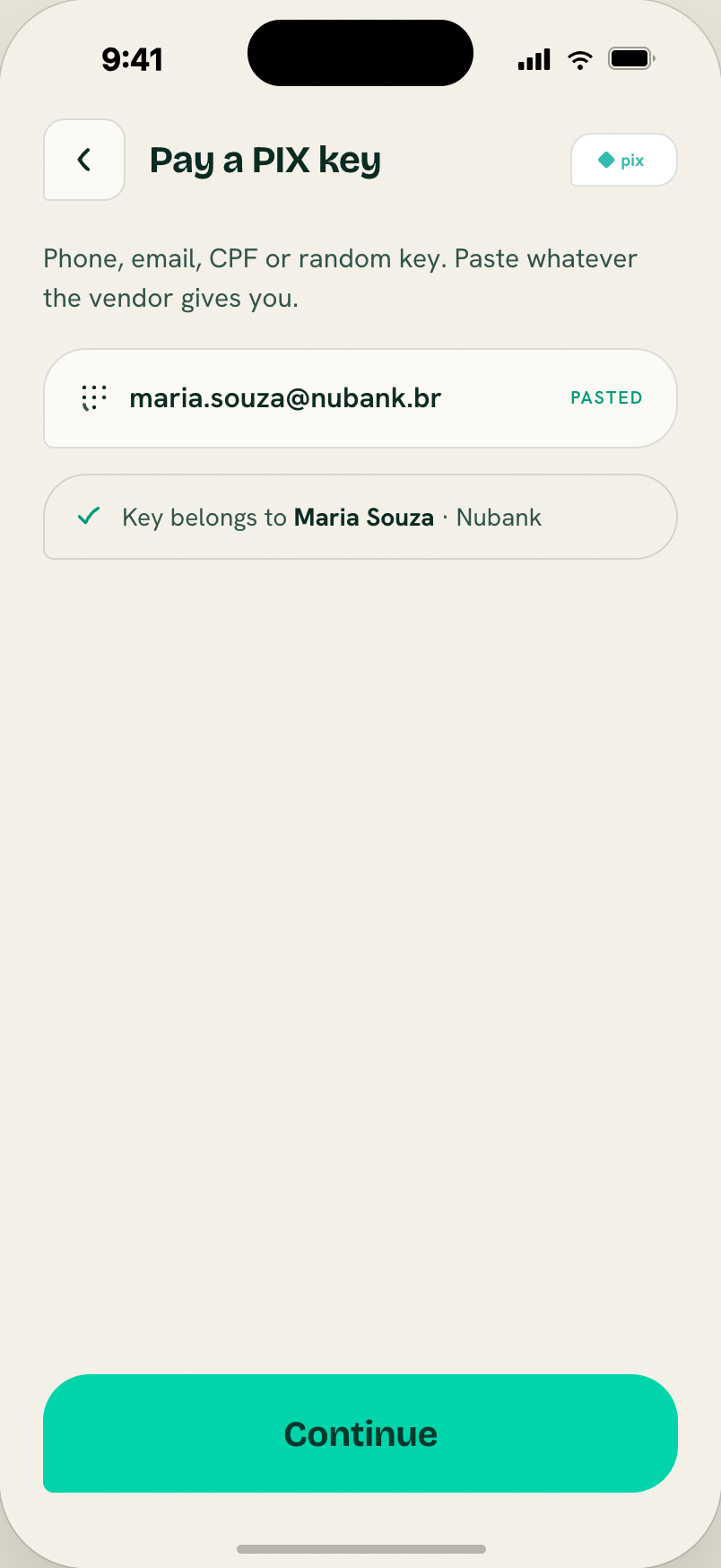
Manual PIX-key entry for the Send flow — typing a recipient's key instead of picking a saved contact, with validation before Review.
Same reconciliation notes as screen 22 — Send is out of MVP scope, so this screen goes away with the rest of the flow.
24. Send — Amount
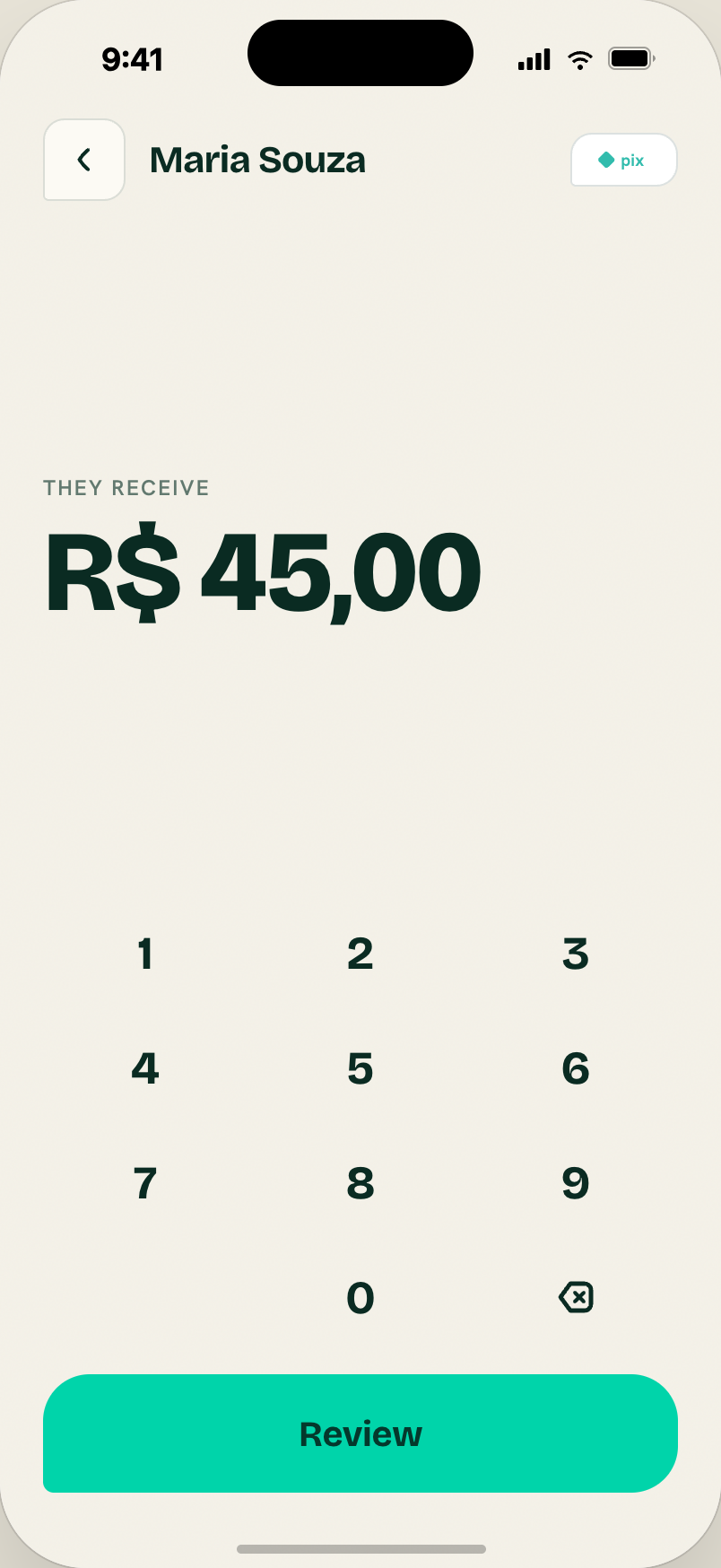
"They receive" + local amount + FX line + keypad + "Review" → shared Confirm screen with a key chip instead of a QR.
Same reconciliation notes as screen 22.
25. Receive
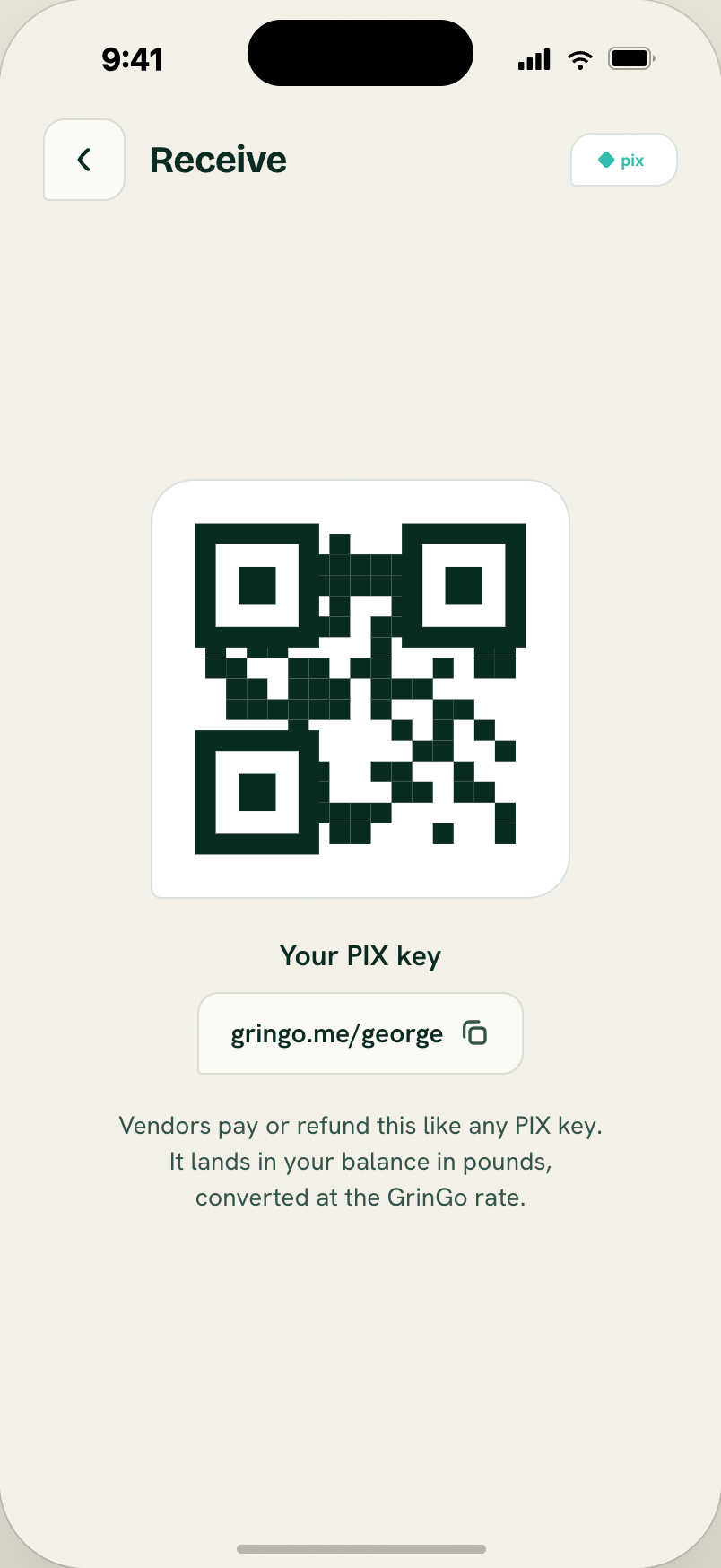
Centred QR (196px) on a white card, PIX key label, copyable gringo.me/george chip (check icon on copy). Explainer that refunds land as USDC at the live rate.
Reconciliation: MVP doesn't include inbound PIX (we're the buyer side, not the merchant side). This screen goes away for MVP.
Activity & Profile
26. Activity
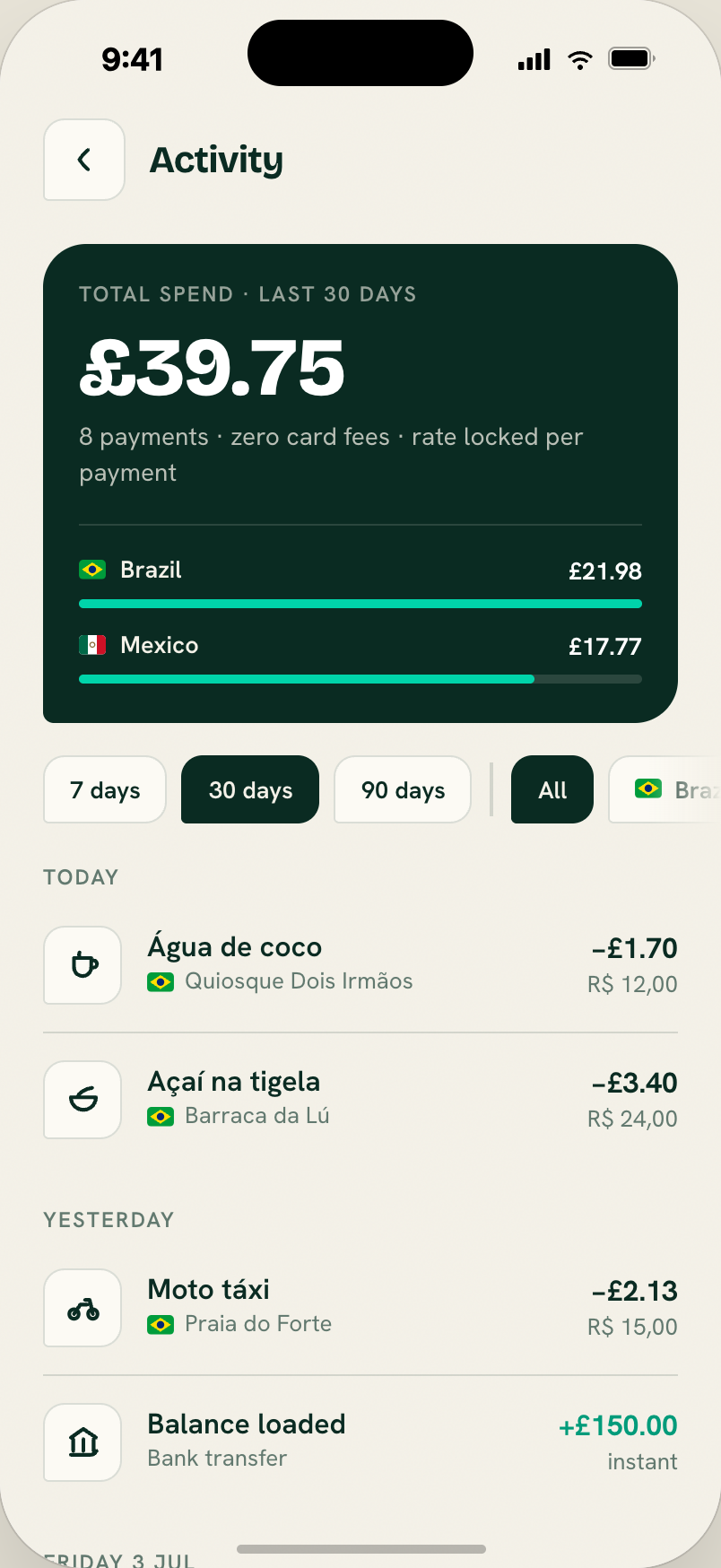
Total-spend card (ink bg, radius --r-card) with label "TOTAL SPEND · LAST 30 DAYS", USD total (46px, white), sub-line "N payments · zero card fees · rate locked per payment". Below: filter rail (drag-scrollable period + country chips) then grouped transaction list by date.
By-country breakdown appears on the ink card when >1 country has spend: flag + name + USD total per country + a proportional bar (widest = 100%).
Source: rd-history.jsx — RdHistory.
Reconciliation: "USD total" → user's home currency total. The by-country breakdown remains valuable when we ship beyond Brazil.
27. Profile
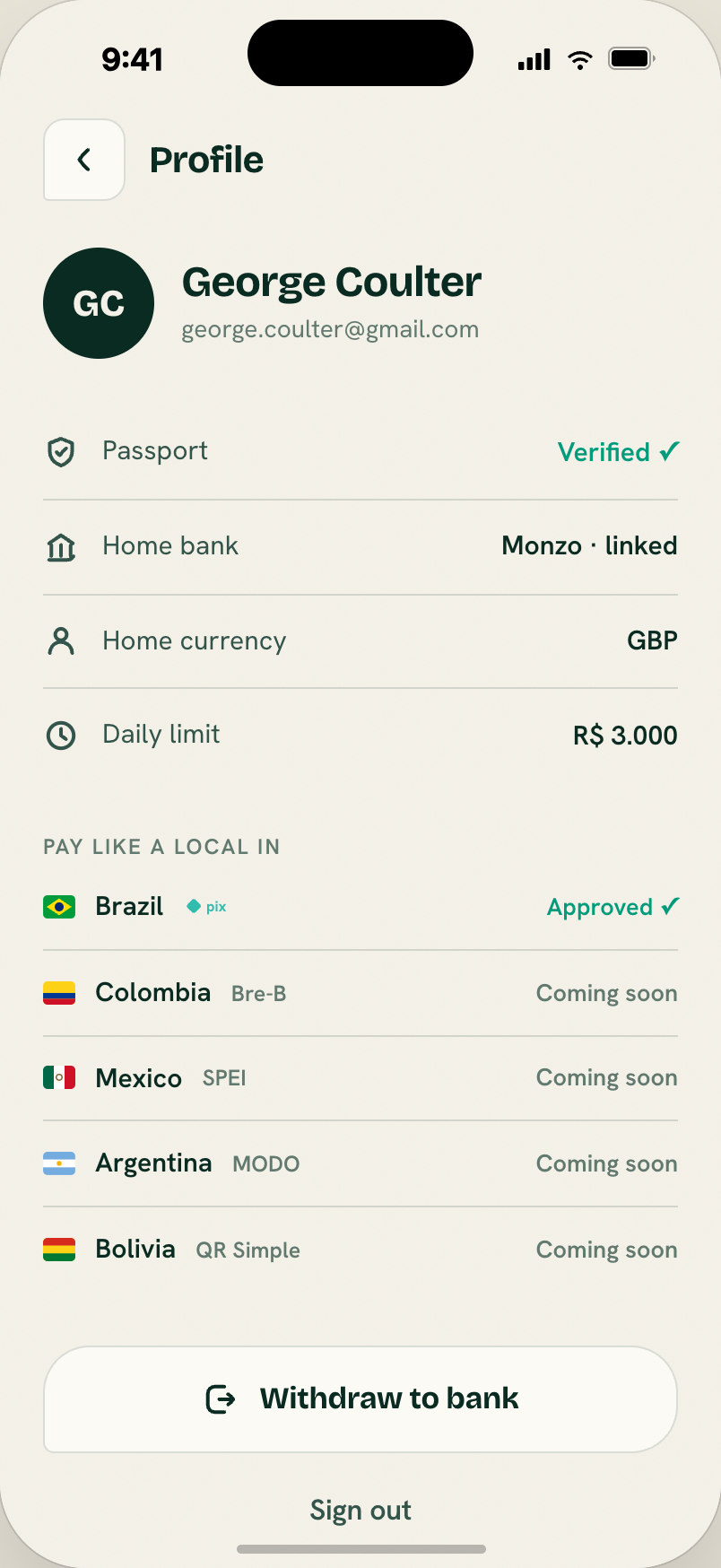
Initials disc (62px) + name + email. Rows: Passport "Verified ✓" (teal-deep), Home bank, Home currency, Daily limit. Section "PAY LIKE A LOCAL IN" with per-country rail rows (Brazil PIX "Approved ✓"; others "Coming soon"). Bottom: "Withdraw to bank" (paper) + ghost "Sign out".
Source: rd-history.jsx — RdProfile.
Reconciliation: "Home bank · Monzo · linked" — under Model A we don't link the user's bank via Open Banking; we hold their balance directly. That row goes away or becomes a display-only "Withdraw account: 12-34-56 / 12345678" if they've added withdraw details.
28. Withdraw
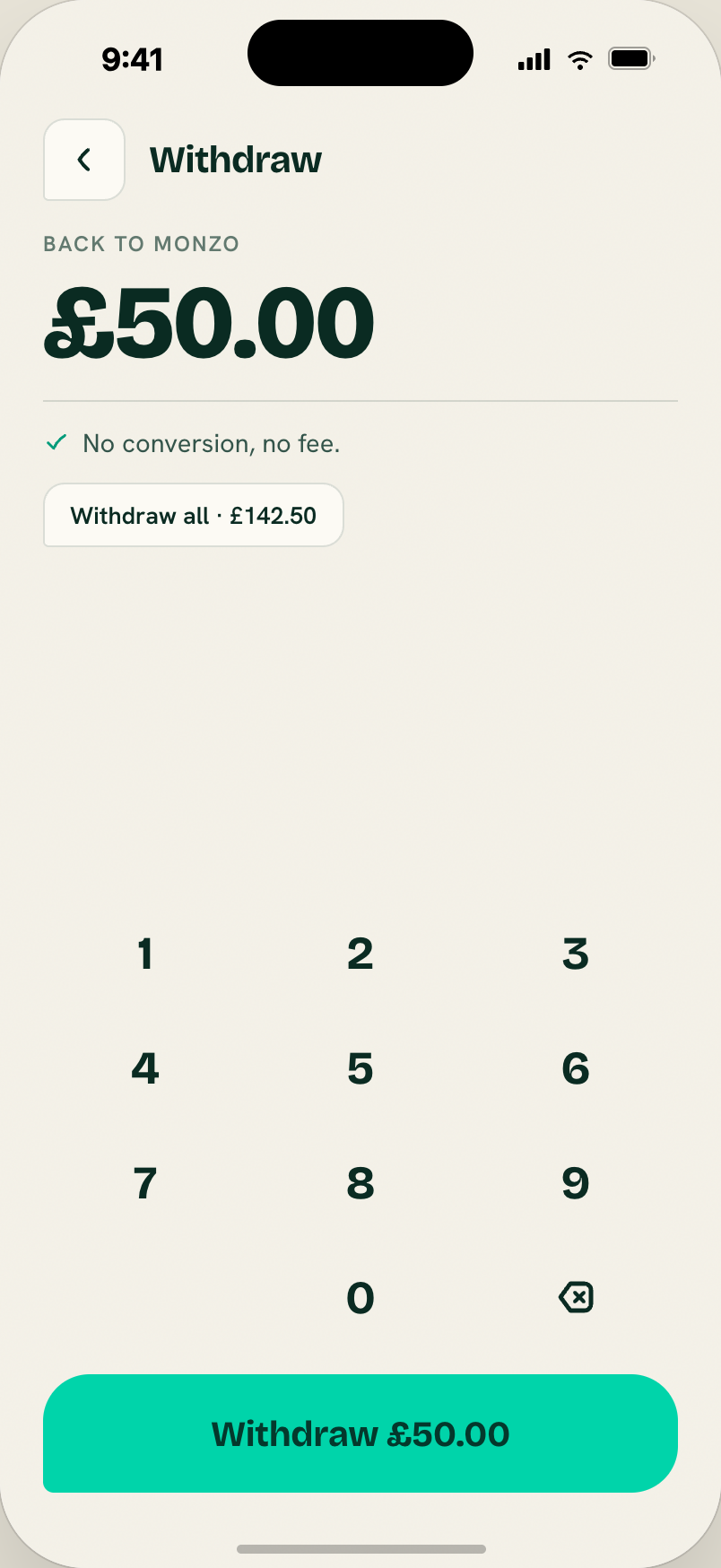
"Back to Monzo" + USD amount (58px, coral when over-balance) + rate line + "Withdraw all" chip + keypad + primary CTA (disabled-looking at 45% opacity when 0 or over-balance; label flips to "Not enough USDC"). Sent state: teal check + "On its way." + ink "Done".
Reconciliation:
- Amount in user's home currency (GBP or EUR), not USD.
- Drop the FX line — same-currency withdraw under Model A.
- Fee copy TBC (pending Infinia fee schedule).
Not in the handoff, needed for MVP
- Country allowlist rejection screen — a "not yet available in your country — join the waitlist" state after KYC returns an address outside the UK/EU-27 allowlist. See flows/onboarding § country allowlist. Visual language: paper background, sunset icon tile (not coral — this isn't an error, it's a "coming later"), waitlist email capture, ghost "Sign out".
- Home-currency picker at signup — only offer GBP and EUR. Same visual as the KYC-step bank picker but for currency.